

If You're Mad Rivians Don't Have Android Auto Or Apple CarPlay, Here's How To Fix That
In a survey by American Trucks, roughly 39% of car buyers consider not having Android Auto or Apple CarPlay an absolute deal-breaker. It's a camp you may or may not fall into, but if you're General Motors — a company that once offered the smartphone mirroring feature but is now having second thoughts — 37% of the respondents said they are less likely to buy from you. Also among the carmakers that don't support the in-car technology are Tesla and Rivian. Although Tesla is walking back on its decision regarding Apple CarPlay, it doesn't seem like Rivian is keen to do so.
Much like Tesla, Rivian has invested quite a lot of resources into developing its in-car software, and with things heading in the direction of AI, the company's Chief Software Officer, Wassym Bensaid, reckons that screen-mirroring software like CarPlay is redundant. Speaking to the host of Verge's Decoder podcast, he said that "Cars are moving from...'software-defined' to 'AI-defined.' The possibilities now for such deep AI integration in the car make the entire CarPlay debate completely obsolete." He also pointed out that while 70% of customers were requesting CarPlay initially, that number has since dropped to 25%, which bizarrely led him to conclude that "CarPlay or Android Auto is no longer the topic of discussion."
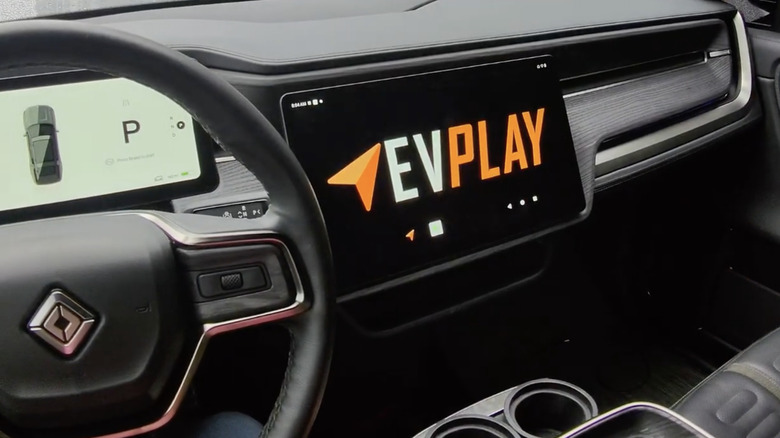
Evidently, 25% of owners want smartphone mirroring in their Rivians. Luckily for them, this $425 aftermarket solution from EV Play should fix that. Although not quite a plug-and-play setup, the company reckons installing the device should take about 45 minutes on average. For the uninitiated, EV Play's YouTube channel has separate installation guides for Gen 1 (2022-2024) and Gen 2 (2025+) models.
Installing EV Play on your Rivian
Installation on both generations requires removing the passenger-side footwell cover near the glovebox, then peeling back the footwell carpet to expose the vehicle's infotainment control unit. EV Play supplies two cables specifically for the infotainment circuit — an all-black one (with black connectors on both sides) and a black-purple one, which, as the name suggests, has black on one end and purple on the other. Using those, you can connect the device to the in-car infotainment system.
Setting up the power circuit is different on Gen 1 and Gen 2 models. Per EV Play's video, Gen 1 Rivians use fuse taps for the power side, while Gen 2s require connecting the supplied wires to the car's CAN bus connectors in a specific order, which, as you can imagine, is slightly more complicated. If you're not very technically inclined, it's worth watching the video a few times before starting the installation.
Once that's sorted, it's just a matter of plugging in all the connectors (in the correct order) to the EV Play device itself. Reboot the infotainment system, and you should have Apple CarPlay and Android Auto, either wired or wirelessly, on your Rivian. If you're worried about warranty, EV Play's website says that shouldn't be a concern, unless you install it incorrectly and short the internals, in which case Rivian can deny coverage. So keep that in mind.