

Google Maps Will Now Display Your Vehicle As A McLaren Formula 1 Race Car
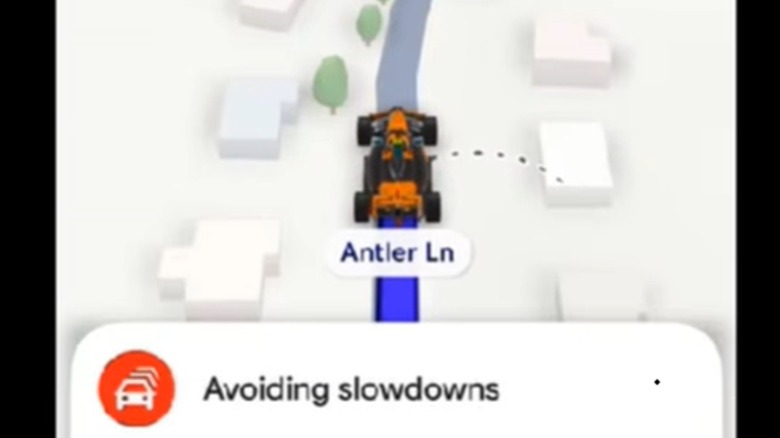
What an age we live in. You can (and likely do) take personal navigation for granted these days, departing on everything from urban errands to weeks-long road trips without any sort of physical map. Google Maps and Apple Maps (okay, maybe just Google Maps) can get you where you're going so long as you have cell signal. And to add some whimsy, now the app can display your location with an avatar car instead of a sterile, clinical arrow.
Thanks to a motorsports partnership between the tech giant Google and the British car brand McLaren, you can inject a little Formula 1 racing flavor into your next trip. To answer a few of your inevitable questions: No, your car won't speak to you in the voice of Oscar Piastri or Lando Norris. And no, Google Maps will not tell you to box this lap. Sorry. Instead, for a limited time, you can swap out your sober little car-toon or boring standard blue arrow for a comically stubby, yet still unmistakable, McLaren F1 car. We wish there were more choices, like the legendary McLaren F1 road car, but for now it's just the MCL40.
Google and McLaren claim the official avatar is a way to ring in the coming United States GP in Austin. "Celebrate the United States Grand Prix with the official team avatar, available until November 23, 2026," the avatar selection page reads. The official team avatar is going to disappear in late November, meaning users can keep the little race car avatar for two American Formula 1 race weekends: the USGP at COTA on October 25 and the Las Vegas Grand Prix on November 21. After things wind down in Las Vegas, it'll be back to Google Maps' assortment of cartoony little car avatars.
Swapping your car for a McLaren Formula 1 race car
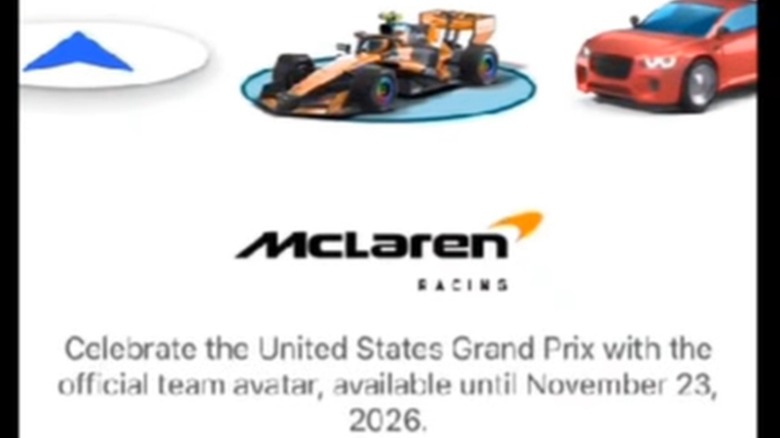
Last year, Google rolled out an update for Maps that expanded the available library of vehicle avatars to include new models and even customizable colors. However, those options are straight-up boring compared to your very own still-stuck-in-traffic F1 car. In the latest update, the app allows users to swipe right past a luxury sedan, an off-road-going pickup truck, and a slick-looking sports car to opt for a McLaren Orange Formula 1 car.
To change your avatar to something more Oscar Piastri-esque, you can open your Google Maps app and select "Settings." Then find the "Choose driving avatar" list, and select the McLaren Formula 1 car. Presto, your little avatar is an F1 race car. Now, if only they could figure out the Batmobile.
The little icon is hard to see, but it's almost certainly a nod to McLaren's Formula 1 car of choice for the 2026 season, the MCL40. In celebration of the team's successes in the 2025 season, the McLaren Mastercard Formula 1 team chose to carry over the historic papaya-hued palette, hence the orange little avatar on your Apple CarPlay or Android Auto screen.