

The Cars Your Apple Watch Can Unlock (And How To Set It Up)
Around 2020, a feature started emerging that changed how owners interact with their vehicles. This new technology allows drivers to use a smart device, like an Apple Watch, to operate the door locks and even start the vehicle without using a traditional key.
There are a few ways your watch can interact with a vehicle, depending on the model. Some cars allow remote control (similar to a physical key fob) from a greater distance. Others work once the watch is next to the door handle. Lastly, you may be able to simply get within a few feet of the vehicle (not the door handle specifically), and the doors will unlock automatically. This technology works using near field communication (NFC) and Bluetooth to provide the convenience of a key fob, without having to lug around the bulky device in your pocket.
Apple digital key integration was initially only a part of the BMW brand but has since expanded, with many other automakers jumping on board. Audi, Genesis, Lotus, Mercedes-Benz, Volvo, Rivian, Polestar, Hyundai, Kia, Ram, and Mini all offer Apple Wallet support. In addition, some less well-known EV brands like NIO and BYD also include some support. In terms of the specific models, Apple Wallet and, by extension, Apple Watch functionality seem to be available in only premium options. Although, these are some of the best affordable BMWs you can buy right now, a few of which include Apple Watch digital key capability.
Which of the latest models work with Apple Watch?
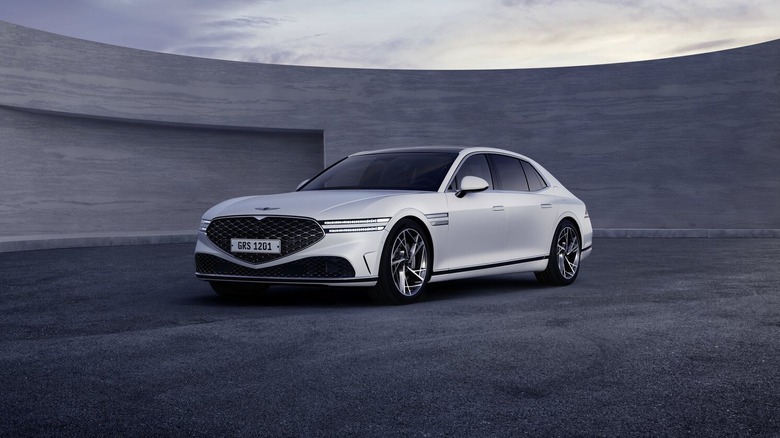
Depending on the vehicle, this feature could go back as far as 2021. However, for anything prior to 2025, you should check with a dealer to verify. While Apple Watch functionality may be offered, it may only be an available option in a specific trim.
BMW has the largest offering of models that work with Apple Watch. Sedans like the 2, 3, 4, 5, and 8 Series provide the feature at a wide range of price points, from $40,000 up to $140,000. You can also find Apple Watch support in the BMW X series of SUVs, including the performance oriented X5 M and X6 M. Other brands offer the feature more sparingly, where only certain trims include it. For example, Kia's Digital Key 2.0 is available on the Telluride, but only the top three trims. Surprisingly, you can use your Apple device as a key on the 2026 RAM 1500 Tungsten Crew Cab 4x4. However, for other truck trims you'll need to add the Limited Level A Equipment Group package, at an additional $5,460 to get the feature. Additionally, across all brands that do offer Apple Watch compatibility, many EV models are included, such as Volvo's EX30 and EX90, as well as the Mercedes-Benz EQS and EQE. Of course, other models and trims may also come with this feature, but you should verify via the owner's manual or dealer.
More brands have announced future Apple key compatibility, like Acura and Cadillac, for instance. Even the 2026 Porsche Macan EV gets lots of digital goodies, including a digital key that supports Apple Watch usage.
How do you get a digital key to work with your Apple Watch?
First of all, your Apple Watch is going to need to be either an SE model or Series 5 and up in order to work. Before you can do anything with the watch, you'll also need to have at least an XS or second-generation SE iPhone. If those bases are covered, ensure you have the latest iOS running on your devices.
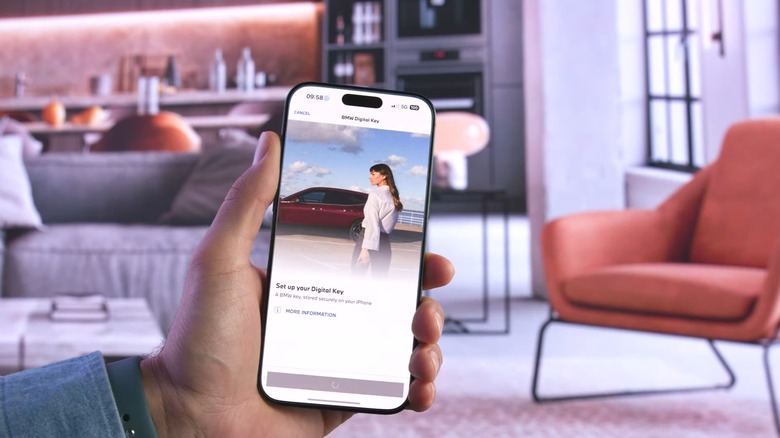
Essentially, you'll need to add the car's digital key to your iPhone's Apple Wallet first. This particular application can hold even more sensitive data in some states, as California residents can now add their driver's license to their iPhone's Apple Wallet. However, regarding digital keys, each vehicle manufacturer has an application, such as Ram Connect, Kia Connect, or My BMW App, to name few. You'll first need to go through the steps of setting things up in the automaker's app, verifying your vehicle information.
Once you get further into the process, you should be directed to Apple's Wallet application, where you can then create the connection between the iPhone and your vehicle. Typically, assuming your iPhone and Apple Watch are connected, the digital key will pair with the watch automatically. Once the setup is complete, you can open the Wallet app to access remote control options (if applicable) or use proximity control by holding your watch near the door handle to unlock, for instance.